

Snapshots
Overview
Section titled “Overview”Intrasheets provide easy version management, allowing users to quickly create snapshots or recover from previous versions. This feature is available to spreadsheet owners, who can create and restore snapshots as needed. Developers can also automate snapshot creation at any desired frequency, as snapshots are triggered with a simple API call.
Requirements
It requires the Intrasheets Server API Extension and AWS S3
Frontend
Section titled “Frontend”Spreadsheet owners can use the interface to create new versions or restore from existing versions, giving them control over version management.
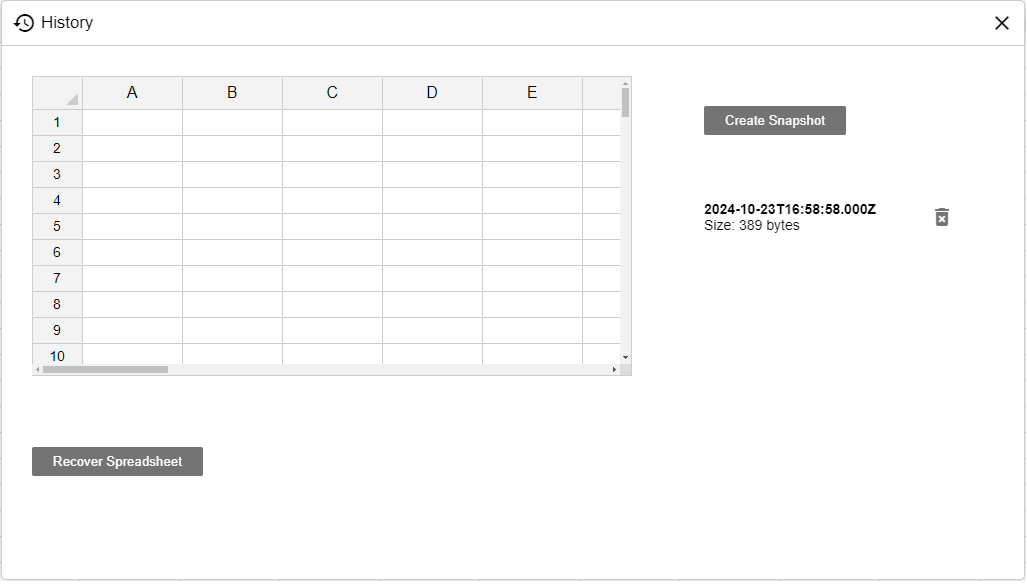
Server
Section titled “Server”All snapshots are compressed and stored in your S3 bucket.
const server = require('@jspreadsheet/server');const adapter = require('@jspreadsheet/server-mongodb');const api = require('@jspreadsheet/server-api');
// Load from ENVrequire('dotenv').config();
// Jspreadsheet licenseconst license = {    clientId: process.env.JSS_CLIENT,    licenseKey: process.env.JSS_LICENSE};
// Connect API to S3api({    s3: {        key: process.env.AWS_S3_KEY,        secret: process.env.AWS_S3_SECRET,        bucket: process.env.AWS_BUCKET,        region: process.env.AWS_S3_REGION,        url: process.env.AWS_S3_URL,    },    adapter: adapter});
History API
Section titled “History API”Using the API developers can also create rules for creating snapshots automatically.
Example
Section titled “Example”Get a list of all spreadsheet snapshots using the Client API.
import { Client } from "@intrasheets/client";
// Create a new clientconst client = new Client({  // API Server  baseUrl: "http://localhost:8009/api",  // Your authentication token  token: "eyJhbGciOiJIUzUxMiIsInR5cCJ9.eyJkb21haW4iOiJsb2NhbGhvc3Q6ODAPQSJ9.Xr2Ir2-zEc_tqV5y6i",});
// Spreadsheet Guidconst guid = '79b45919-c751-4e2b-a49a-6c1286e2fc03';
// Get the spreadsheet instanceconst spreadsheet = client.getSpreadsheet(guid);
// Request dataspreadsheet.getHistory().then((data) => {    console.log(data);});
More information
Section titled “More information”For more information about the History API.